Movie Mates is going native.
The Android app is here — an open beta anyone can join. Every night at midnight, whatever’s new becomes a fresh beta, so the newest build is never more than a day behind. Same account, same ratings, same crew — look for Movie Mates in your app drawer.
Checking for the latest build… Fresh build · Android 7.0+ · 64-bit · other builds Couldn’t load the build details — the button still gets the latest beta.
Android asks once to let your browser (or Files app) install apps, then remembers. See the four quick steps ↓
- Open moviematessocial.web.app in Safari
- Tap Share
- Choose Add to Home Screen
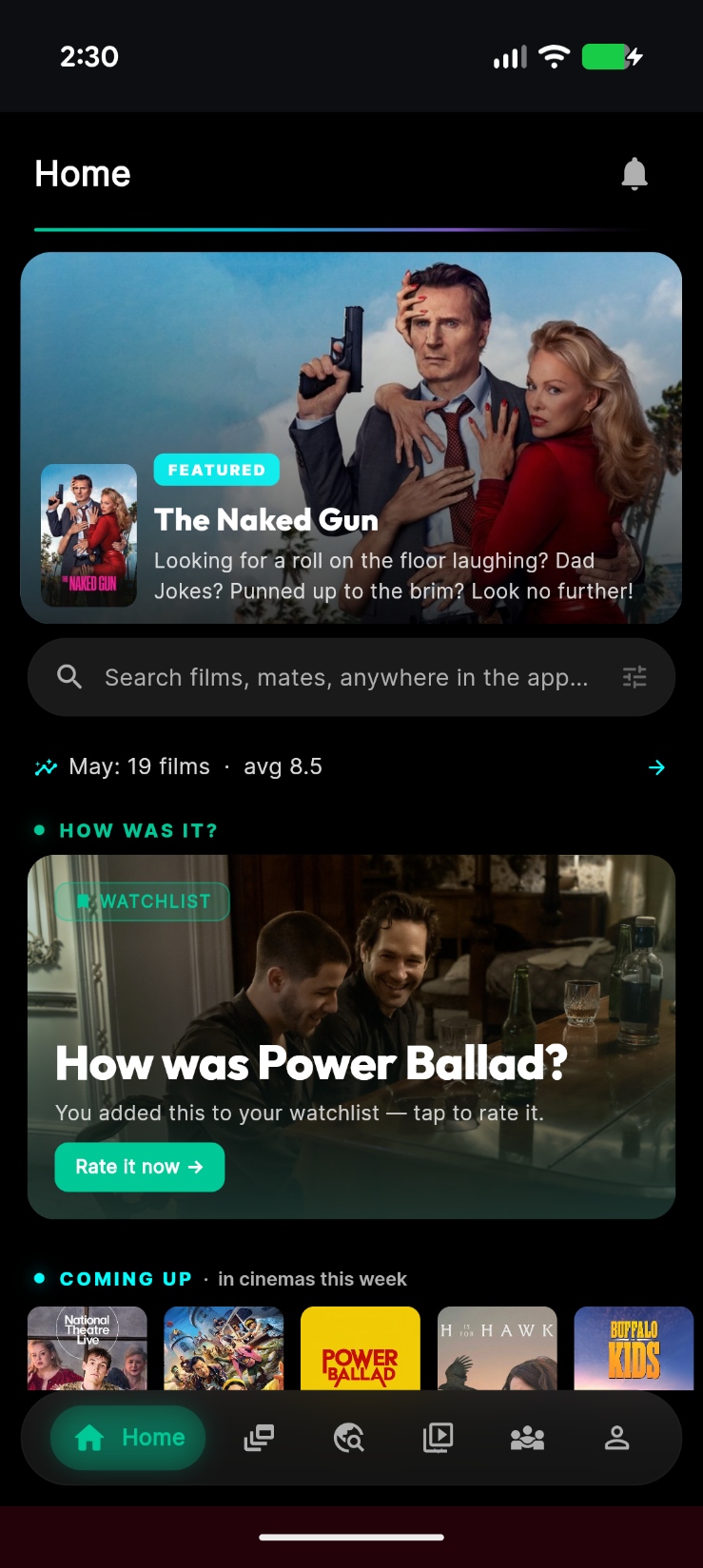
Same Movie Mates. Different superpowers.
Your account, ratings, tickets and mates are identical on both. Here’s the honest split — including where the web app still wins.
| What you get | Android app Open beta · Android 7.0+ | Web app Any phone, tablet or computer |
|---|---|---|
| Where the Android app shines | ||
| Opening the app | Lives on your phone — no app download each time you open it. | Loads over the network every time you open it. |
| Look & feel | Edge-to-edge, real frosted-glass blur, haptic ticks on the rating slider, Android back gestures. | Lighter glass effects, tuned for the browser. |
| Wallpaper colours | The Dynamic skin matches your wallpaper (Android 12+). | Dynamic falls back to the Midnight skin. |
| Deal alerts | Alerts when a chain drops a deal. | Not available on the web. |
| Google sign-in | Android’s own account picker — no pop-ups. | A browser pop-up or redirect. |
| Barcode scanner | Built right in, for membership cards and ticket barcodes. | Loads into the browser when you need it. |
| Patchy signal | Opens without a connection and shows what you’ve already loaded. Search and new films still need signal. | Needs a connection to open. |
| Neck and neck | ||
| Push notifications | Tray notifications that open the app. | In Chrome on Android. On iPhone once it’s on your Home Screen (iOS 16.4+). |
| Sharing rating cards | Your phone’s share sheet. | Your phone’s share sheet too. |
| Where the web app still wins | ||
| Updates | Right in the app: tap Update and confirm Android’s prompt. New builds land overnight whenever something’s changed. | Fully automatic. Always the newest version. |
| Nearby cinemas map | The nearby list works; the map view isn’t in the beta yet. | Full map of cinemas near you. |
| Letterboxd & IMDb imports | Pick your export file inside the app. | Also share it straight from Android’s share sheet (web app installed from Chrome). |
| Shared Movie Mates links | Open in your browser for now. | Open straight into the app. |
| Install & devices | A 35–40 MB download for Android 7.0+. | Nothing to install — iPhone, iPad and computers too. |
Push notifications and Google sign-in on Android use Google Play services, so phones without them (some Huawei models, for example) miss out on those two.
From browser tab to app store.
No dates, no hype-train promises. Just where it’s headed.
-
LIVE
Web app
Every phone, tablet and computer. Where it all started — and it’s not going anywhere.
-
NOW
Android open beta
Anyone can join. Every night at midnight, whatever’s new becomes a fresh build.
v… · built recently
-
AFTER THE BETA
Google Play
The plan: Movie Mates on the Play Store once the beta’s battle-tested.
-
AFTER ANDROID
iPhone App Store
Native iOS follows once Android testing wraps up. Until then, the web app on your Home Screen does it all.
Fresh from the latest build.
Release notes straight from the build robot.
Recent builds
Fetching the release notes…
Couldn’t load the release notes right now — the Download button still gets the latest beta.
Four quick steps and you’re in.
Apps from outside the Play Store get a couple of extra questions from Android. Here’s exactly what to expect.
-
Tap Download
Grab the beta on your Android phone. If your browser double-checks the file, tap Download again.
-
Open it
Tap the finished download, or find it in Files → Downloads.
-
Allow it once → Install
The first time, Android asks: tap Settings, switch on Allow from this source for your browser (or Files), go back, then tap Install.
Android 7: Settings → Security → Unknown sources instead.
-
If Play Protect asks
Play Protect is cautious about apps it hasn’t seen on Google Play yet. If it offers to scan the app, let it. If it still blocks it, check the signing certificate matches, then tap More details → Install anyway.
After this, updates come to you. When a new build is out, Movie Mates shows Update available on Home. Tap Update and confirm Android’s prompt. The first time only, it may ask you to tap Open settings and switch on Allow from this source for Movie Mates — just like step 3 (if the app restarts, tap Update again). The app closes to finish; open it again and you’re on the new build.
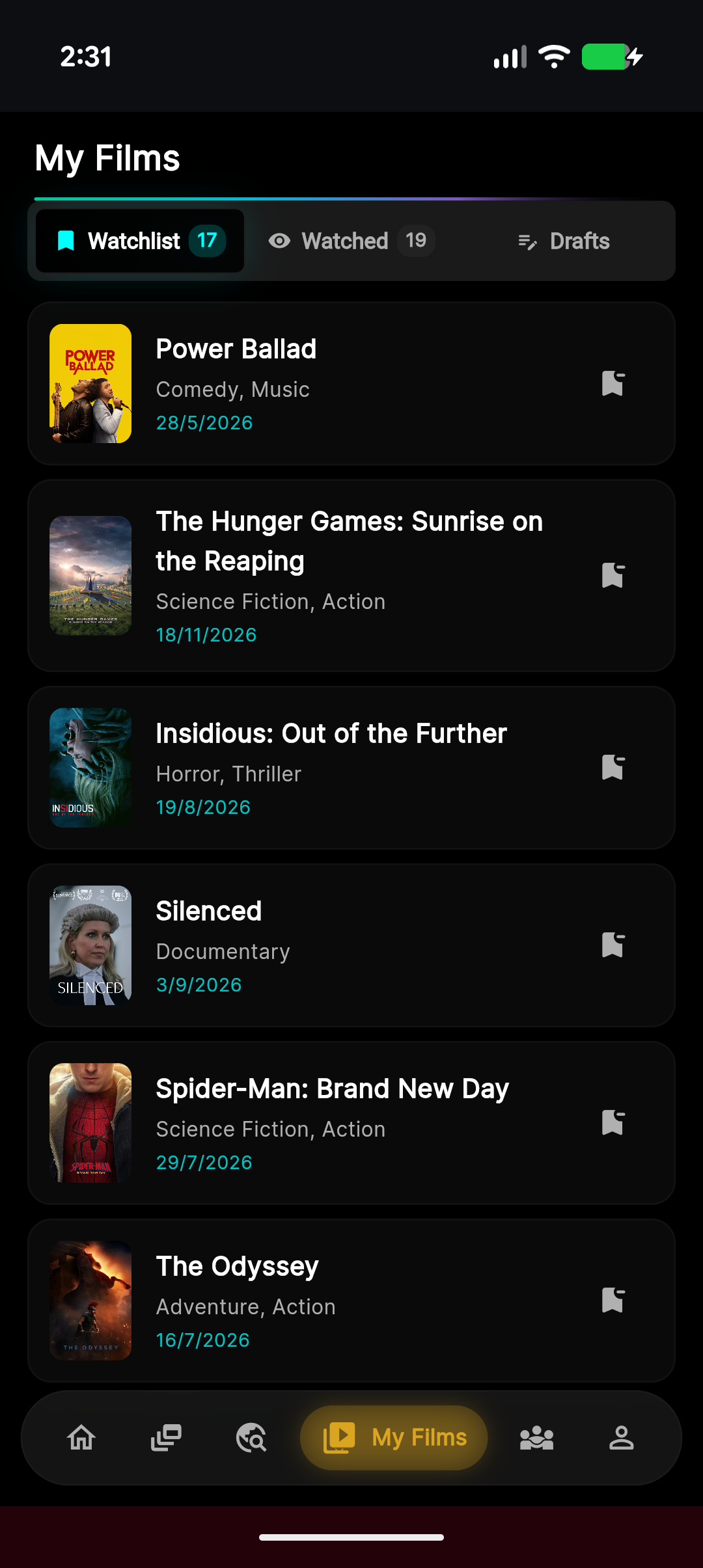
You’re already covered.
The web app is the full Movie Mates — rate films, plan the night, keep every ticket, share your cards. Pop it on your Home Screen and it opens like any other app, with push notifications on iOS 16.4 and later.
- Open moviematessocial.web.app in Safari
- Tap Share
- Choose Add to Home Screen
Before you tap Download.
Will my account and ratings carry over?
Yes — everything lives in the cloud, not on your phone. Sign in with the same account you use on the web and your ratings, tickets, watchlists and mates are already there. One tip: email sign-in links open in your browser, so in the app use Google, your phone number, or your email and password.
Is it free? Who can join?
Free, and open to everyone — no invite, no waitlist. It’s the same app as the web version, so every feature that’s free there is free here.
Which file do I need?
Most phones: the big Download button (the standard 64-bit build). You’ll need Android 7.0 or newer. On an older or budget phone that says the app isn’t compatible, try the 32-bit build at moviemates.social/download/android-32. Every build is listed under Other builds & verification.
Is it safe to install from outside the Play Store?
Every build is signed with our own key, and Android only lets an update install over the app if it carries that same signature. You can check it yourself: the signing certificate’s SHA-256 is
Signing certificate SHA-25604:9C:EA:A5:D4:CB:41:00:C3:11:11:F0:2B:26:2F:2C:DD:ED:9F:0D:3A:D4:BA:C9:D1:ED:1A:84:5D:6D:EB:6D
Each file’s own SHA-256 is under Other builds & verification. The beta is free and open, so there’s nothing to buy and no card details anywhere.
Why does Play Protect warn me?
Play Protect is cautious about apps it hasn’t seen on Google Play yet, and the beta isn’t on Play yet. If it offers to scan the app, let it. If it still blocks the install, check the signing certificate above matches, then tap More details → Install anyway.
How do updates work?
Right in the app. Whenever there’s something new, a fresh beta lands overnight, and when there’s a newer build than yours, Movie Mates shows Update available on Home (it’s under Settings → About too). Tap Update, watch it download, then confirm Android’s install prompt. Movie Mates closes to finish — open it again and you’re on the new build, with your account, ratings and mates right where you left them.
The first in-app update may have one extra step: Movie Mates asks you to tap Open settings and switch on Allow from this source, then come back (if the app restarts, tap Update again). After that it’s tap, confirm, done — nothing ever installs without your tap, every download is checked against the SHA-256 listed under Other builds & verification before Android installs it, and Android only accepts it if it carries our signature. If an update ever gets stuck, download the same build you installed (64-bit or 32-bit) from this page; it installs straight over the old one. The web app keeps updating itself as always.
What happens when Movie Mates lands on Google Play?
We’ll announce it right here and on Instagram (@moviemates.social), with how to move across. Your account lives in the cloud, so your ratings, tickets and mates come with you.
What about iPhone?
Use the web app — it’s the full Movie Mates. Open moviematessocial.web.app in Safari, tap Share → Add to Home Screen, and it opens like any other app. Native iOS follows once Android testing wraps up — no dates yet, so watch this space.
Other builds & verification
The big button gets the 64-bit build, which suits nearly every phone from the last several years. The others are here if you need them.
-
64-bit · arm64-v8aMost phones — the defaultDownloadSHA-256
-
32-bit · armeabi-v7aOlder or budget phonesDownloadSHA-256
-
x86_64Android emulators and Intel/AMD devicesDownloadSHA-256
Signing certificate SHA-256 (every build)04:9C:EA:A5:D4:CB:41:00:C3:11:11:F0:2B:26:2F:2C:DD:ED:9F:0D:3A:D4:BA:C9:D1:ED:1A:84:5D:6D:EB:6D
To check a file on a computer: apksigner verify --print-certs <file>.apk shows the certificate, and certutil -hashfile <file>.apk SHA256 (Windows) or shasum -a 256 <file>.apk (Mac/Linux) should match the file’s SHA-256 above.
Not on Android? The web app does it all.
iPhone, iPad, laptop, work computer — Movie Mates runs in any modern browser. Same account, same ratings, same crew.
moviematessocial.web.app · free while in beta · works on any device